

When Police Ask for Your Footage: A Citizen Journalism Guide to Rights, Safety, and Sharing
Citizen journalism, citizen video, and legal rights: what to do when law enforcement wants your clips
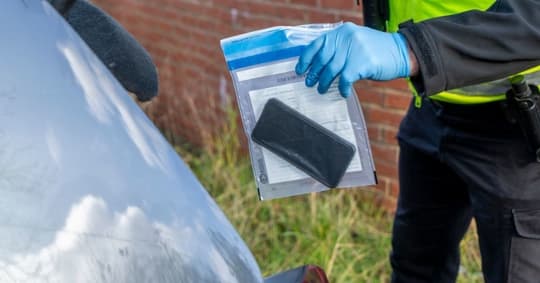
Citizen video is changing accountability, from traffic stops to public protests to local government meetings. If you record a scene that matters, you may face a hard moment right after pressing stop. An officer or investigator approaches and asks to see, copy, or delete your footage. What should you do?
This practical guide covers your rights, common scenarios, and smart sharing choices, with links to reputable resources. It is general information, not legal advice. Laws vary by country and state. When in doubt, consult a lawyer or a trusted legal expert.
Your right to record in public
In the United States, multiple federal appeals courts have recognized a First Amendment right to record police performing their duties in public, as long as you do not interfere. Key decisions include Glik v. Cunniffe in the First Circuit and Fields v. City of Philadelphia in the Third Circuit. The National Press Photographers Association and the Reporters Committee for Freedom of the Press both maintain helpful summaries on the right to record.
NPPA: Know Your Rights
https://nppa.org/know-your-rightsRCFP: Guide on recording police
https://www.rcfp.org/resources/recording-police/ACLU: Photographers’ rights, including limits on searches and deletion
https://www.aclu.org/know-your-rights/photographers
In short: you can generally film in public places where you have a legal right to be, including streets, sidewalks, and public meetings. You do not have to stop recording simply because an officer tells you to, provided you keep a reasonable distance, follow lawful orders related to safety or crime scene management, and do not interfere.
What officers can and cannot do
They can ask to see your footage. You can decline.
They can request a copy. You can decline unless they have a valid legal order.
They cannot legally force you to delete photos or videos. Deletion is considered destruction of property or evidence and is generally unlawful.
They may seize a device with a warrant or, in certain circumstances, without a warrant if there are exigent circumstances. Whether those circumstances apply is fact specific and often contested in court.
ACLU’s guidance is clear: if an officer demands to review your phone or delete footage, state calmly that you do not consent to searches or deletion, and ask if you are free to go. If you are detained, ask on what basis. Document the interaction if safe to do so and get badge numbers.
- ACLU device search guidance at the border and elsewhere
https://www.aclu.org/issues/privacy-technology/privacy-borders-and-checkpoints/electronic-device-searches
Three common scenarios and smart responses
- The polite request
An officer asks to quickly view your clip or have you text it over.
Response: You can decline and say you will share through proper channels later. If you agree to share, provide a copy, not your device. Use an airdrop or file transfer that keeps the original on your phone.
Why: Keeping control of your device protects your privacy and your other data.
- The strong request at an active scene
You are near a crime or crash scene. An officer demands your phone or tries to look at your screen.
Response: Calmly state, I do not consent to searches. Are you detaining me or my device, and under what authority. If they insist, do not resist physically. Ask for a property receipt and a case number.
Next steps: Contact a lawyer. Write down everything as soon as you can. If your phone is seized, change passwords for accounts connected to it.
- The after-the-fact subpoena
Days later you receive a subpoena for your footage.
Response: Do not ignore it. A subpoena is a legal order that typically allows time for a motion to quash or narrow. Contact a lawyer. Organizations like the Reporters Committee for Freedom of the Press operate hotlines that can help point you to counsel.
RCFP Legal Hotline
https://www.rcfp.org/legal-hotline/
Protecting your footage in the moment
Keep rolling when it is safe. Continuous recording can capture context and officer interactions.
Back up fast. If connectivity allows, upload to a trusted cloud as soon as you safely can. If bandwidth is limited, back up a low resolution proxy first, then the original.
Use a screen lock. Prefer a long passcode over biometrics, since in some jurisdictions officers can compel biometrics more easily than passcodes. See EFF’s protest security tips.
https://www.eff.org/deeplinks/2020/06/digital-security-tips-protestersPreserve metadata. Do not run the clip through apps that strip EXIF by default. Time, date, and location can help authenticate your video later. WITNESS offers excellent guides on preserving and documenting video for evidence.
https://library.witness.org/Add context notes. Right after recording, jot down time, exact location, and what you saw before and after. If you captured signage or landmarks, note them.
What to do if someone tells you to delete
Say clearly and calmly that you do not consent to deletion. Deleting footage at the request of an officer can destroy evidence and harm the public interest. If you fear for your safety, secure your device and step away if you can. The ACLU notes that officers may not lawfully delete your images or videos or force you to do so.
If deletion occurs under pressure, check whether your cloud backup retained a copy. Many gallery apps have Recently Deleted folders that can be restored within a limited window. Restore and back up immediately.
Sharing ethically and safely
Citizen journalism shines when it protects people and tells the truth. Before posting:
Blur faces where appropriate. If your footage could expose vulnerable people, consider obscuring identities unless there is a compelling public interest. WITNESS provides tutorials on secure blurring.
Avoid doxxing. Do not post addresses, license plates, or personal info without strong justification.
Label clearly. Your caption should state time, location, and what you directly observed. Avoid speculation.
Keep the original. Always preserve an unedited master file.
If a newsroom or investigator requests your clip, prefer sending a copy rather than granting unfettered access to your device or accounts. For sensitive material, you can share a view-only link or a watermarked proxy first. If you choose to license your footage to media, read terms carefully. Poynter and RCFP have resources on licensing and contracts.
- Poynter overview on dealing with media requests
https://www.poynter.org
Special cases: borders and private property
Borders: Legal protections are weaker at international borders and airports. Officers may have broader authority to search devices. The ACLU details your options and risks, including the possibility of device seizure if you decline to unlock.
https://www.aclu.org/issues/privacy-technology/digital-privacy/border-searches-electronic-devicesPrivate property: Property owners can ask you to stop filming and leave. If you refuse, you risk trespass charges. Filming visible scenes from public streets is generally permitted.
How this plays with POV bounties
POV lets people post bounties for footage at a specific place and time. Others can walk into the bounty circle, record, and submit video. The bounty poster pays for accepted clips.
If you accept a bounty near a sensitive scene:
Plan your safety first. Agree on a link-up point with a friend.
Have a backup plan. Sync to cloud as soon as safely possible.
If approached by law enforcement, you do not have to show or delete your footage. Offer to share a copy later through proper channels if you choose.
Submit your original file to the bounty as soon as it is safe, not on the curb where pressures run high.
POV bounties are about public interest coverage. Protecting your footage ensures the community gets the truth and contributors are fairly compensated.
Chain of custody basics without the jargon
If your clip might become evidence, simple steps help keep it credible:
Do not rename or re-encode your master file.
Make at least two backups on separate services or drives.
Write a short log: who recorded, date and exact time, location, and device model.
If you must edit for publication, keep your unedited original safe.
Courts and investigators value clear provenance. Even small details like consistent file hashes and unaltered timestamps can matter. WITNESS’s documentation guides are a great reference for non-lawyers.
A quick word on international contexts
Rules differ widely outside the United States. In many democracies, filming police in public is legal with similar interference limits. In other places, there are stricter restrictions or broad police powers. Before covering sensitive events abroad, look up local press freedom guidance from reputable groups like the Committee to Protect Journalists or WITNESS, and connect with local journalists if possible.
The bottom line
You generally have a right to record in public if you are not interfering.
You do not have to delete your footage or hand over your phone without a lawful order.
Back up fast, preserve originals and metadata, and add clear context.
Share copies, not your device, and get advice if you receive a subpoena.
Prioritize safety, ethics, and the public interest.
Citizen video has exposed truths that might have otherwise stayed hidden. Knowing your rights helps you keep the camera rolling when it matters most.
📬 Be part of what’s next
POV is a citizen journalism app that turns everyday people into contributors. Post a bounty, request video from anywhere in the world, or walk into a bounty circle and get paid for your footage.
Learn more: https://pov.media
Sign up for early access: Subscribe to POV Stories
Follow us: @POVAppOfficial


