

The Lens Compression Trap: Why Viral Protest Videos Mislead on Crowd Size (and How to Verify)
Phone lenses and vantage points can make a march look gigantic or empty. Here is a field guide to verify viral protest videos fast.
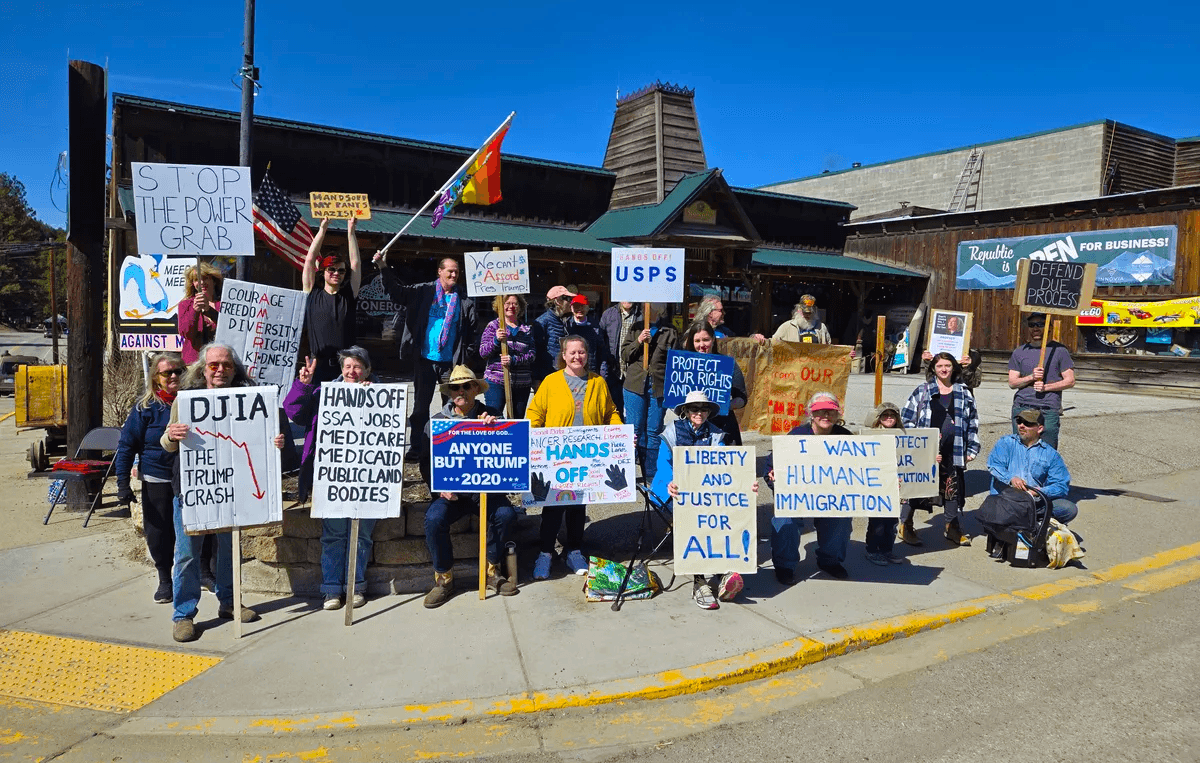
Viral protest videos are catnip for social feeds, but they often mislead on crowd size. Smartphone lenses and vantage points make marches look either impossibly huge or suspiciously sparse. If you care about verifying protest videos, crowd footage, or any public incident, understanding perspective is as important as geolocation. Here is how lens compression skews perception and a practical playbook to verify what you see before you share.
What you are seeing vs what happened
Two clips, same protest, wildly different story: a telephoto shot from the back of the crowd piles bodies into a solid wall, while a wide angle from a side street shows gaps and empty lanes. Both are real. Neither is the full picture.
The gap between what the camera sees and what actually happened is not just cherry-picked timing or partisan framing. It is physics. Perspective and focal length change how distance is rendered, which can inflate or deflate density in a way your eyes interpret as crowd size.
That is why editors and citizen journalists need a simple mental model for lens effects and a workflow to verify scale.
The physics of perspective in phone cameras
Wide angle stretches space. Most phone main cameras are equivalent to about 24 to 26 mm full-frame. They expand foreground and push background away. Crowds can look thinner, and spaces seem larger than they feel in person.
Telephoto compresses space. A 2x to 5x lens, or standing far away and zooming, reduces the apparent distance between people. Faces and bodies stack. Density looks higher than it is.
Vantage beats focal length. Elevation, corner positions, and bottlenecks can exaggerate density no matter the lens. A bridge over a street or a narrow plaza will make any march look packed from certain angles.
A concise visual primer on perspective distortion is here: Cambridge in Colour, Perspective Distortion in Photography. It explains why changing your distance, not just your zoom, changes how big or crowded objects appear.
Five illusions that supercharge or shrink a crowd
Telephoto stacking
Stand far back, zoom in, and the crowd compacts. Gaps vanish because your angle aligns rows of people. This is why stadiums and parades can look shoulder-to-shoulder in long-lens shots even when there is room to move.Wide angle dilution
Stand very close with a 0.5x or main lens and you exaggerate the empty space around you. The nearest few feet loom large while the mid-ground thins out. A large crowd can look like a trickle.Bottleneck effect
Footage near choke points like intersections, bridges, or security checkpoints overstates density. A turnstile view is not representative of the whole route. Conversely, a side street or staging area can understate turnout.Elevation bias
Shooting from a balcony, news chopper, or rooftop can either exaggerate the river-like expanse of people or reveal gaps that ground shots hide. One angle alone rarely tells the truth.Crop and pan tricks
Quick pans that start on an empty patch then swing to a packed section can frame a narrative of low turnout without lying. Tight crops hide edges and open lanes. The reverse is also true.
None of these require edits or miscaptioning. They are baked into optics and vantage.
The 60 second verification playbook for crowd videos
You can sanity-check most crowd clips in a minute. Here is the workflow.
Freeze the frame that best shows extent
Pause on a wide moment, not a tight face shot or bump-cam. Look for landmarks.Anchor the location with three fixed features
Identify street signs, distinctive buildings, billboards, transit shelters, or public art. Use Google Maps or Apple Maps 3D to confirm. Cross check with Street View.Measure the space
Use Google Earth or Maps measure tool to get the width of the street and the length of the visible segment. This gives an upper bound on how many people can physically fit. See Google Earth support on measuring distance and area.Identify vantage point
Is the camera at street level, elevated, or across an intersection. Vantage helps you adjust for lens compression. Ground-level telephoto equals likely stacking. Super wide near the front equals likely dilution.Check time clues
Shadows, traffic lights, store hours signage, and transit headways narrow timing. If a caption claims peak turnout, but shadows show late afternoon and organizers reported the peak at noon, your skepticism should rise. The New York Times visual team showed how time-of-day changes frames in their inauguration crowd coverage.Seek a second angle
Search for the same moment from another vantage: opposite side of the street, a higher window, or a live stream. Reverse image or frame search can help you find matches. Try Google’s guide to searching with an image or Bellingcat’s beginner guides to video verification and geolocation.Density reality check
Use the simple Jacobs method baseline from crowd science: light density is about 1 person per square meter, moderate is 2, very dense is 4 or more. If a clip shows a 20 meter by 100 meter stretch that looks moderately dense, you are seeing on the order of 2,000 to 4,000 people in that slice. Wikipedia has a useful overview of crowd counting methods.
No single step proves a number, but together they tell you whether a clip is exaggerating or downplaying turnout.
If you are capturing: field tactics you can specify in a POV bounty
If you are using POV to source footage, you can ask for angles that reduce optical bias and help verification. In your bounty description, be specific about what to film and from where.
Ask for an establishing shot
Request a wide, slow pan from a fixed point that shows edges and landmarks. Ask the filmer to hold 3 to 5 seconds at the start and end to avoid motion blur.Specify the vantage
Name corners or intersections. For example: Northeast corner of Main and 5th, camera chest height, facing south.Avoid digital zoom
Request no pinch zoom. If the phone has an optical 2x or 3x lens, ask the filmer to walk back instead of zooming in.Walk-through path
Ask for a continuous walk along the curb for one block, then a stop on a median to capture both lanes. This helps you see density variation.Include horizon elements
Request that tall buildings or skyline remain in frame to anchor perspective. This gives later viewers a way to triangulate.Time note
Ask the filmer to speak the current time and nearest cross street at the beginning, and to show a storefront with hours or a transit display if safe.
These instructions take one extra sentence in a POV bounty and dramatically increase the value of what you receive. Remember how POV works: you post a bounty with a location and time window, contributors walk into the bounty circle to record, and you pay for the accepted videos that meet your request.
Case in point: one march, two truths
Imagine a march fills two of four lanes on a downtown avenue for three hours. At peak, the center is dense. Twenty minutes later, away from the core, clusters form near speakers and food trucks. A telephoto clip shot from five blocks back turns the middle into a moving wall. A wide angle clip from the sidelines near the tail shows gaps and traffic flowing in open lanes.
Both are accurate slices. If you publish either without context, you mislead. If you triangulate with a map, a second angle, and a simple measurement of the visible block, you can say something truer:
The march occupied two lanes for several blocks along Main between 1 pm and 2 pm.
Density varied block to block. The core approach to Central Plaza was tightly packed, side streets less so.
From the northeast corner of Main and 5th at around 1:20 pm, video shows a moderately dense crowd extending roughly 120 meters.
A paragraph like that avoids the gotcha games of crowd numbers, and it will stand up when readers compare it to other posts.
The ethics: accuracy without diminishing
Crowd size is a proxy for legitimacy, which is why it is contested. Avoid becoming part of that contest. Your job is not to inflate or deflate. It is to describe clearly what your camera captured and what the wider scene likely looked like.
Do not speculate attendance numbers from a single clip.
Avoid pejorative captions about turnout unless you have multi-angle evidence.
If you are the filmer, disclose your vantage and any zoom used.
If you are the editor, attribute claims and link to multiple sources.
Readers reward clarity. Algorithms reward engagement. Your integrity must reward the truth.
Tools and references
Perspective distortion explained: Cambridge in Colour, Perspective Distortion in Photography.
How to search by image: Google Search Help, Search with an image on Google.
Measuring distances in Google Earth: Google Earth Help, Measure distance and area.
Crowd counting basics and the Jacobs method: Wikipedia, Crowd counting.
How mainstream visual desks compare crowd images: The New York Times, coverage of inauguration crowd images.
Verification basics and geolocation: Bellingcat, beginner guides to video verification and geolocation.
Bottom line
Viral protest videos are powerful, but lenses lie in predictable ways. Learn the tells. Ask for the right angles. Triangulate with maps and a second view. Whether you are filming from a sidewalk or assigning a POV bounty across the world, a little perspective on perspective turns shaky clips into reliable reporting.
📬 Be part of what’s next
POV is a citizen journalism app that turns everyday people into contributors. Post a bounty, request video from anywhere in the world, or walk into a bounty circle and get paid for your footage.
Learn more: https://pov.media
Sign up for early access: Subscribe to POV Stories
Follow us: @POVAppOfficial


